What This Guide Shows
This tutorial shows how LinePics can turn a real portrait photo into a printable manga-style coloring page.
Instead of only tracing photo edges, the goal is to create a more appealing character-style result that still feels inspired by the original face, hairstyle, and overall mood.
This is especially useful for users looking for:
portrait photo to coloring pageanime coloring page generatorselfie to manga line artprintable portrait coloring pages
Example Source Portrait
Here is the original portrait photo used for this example:
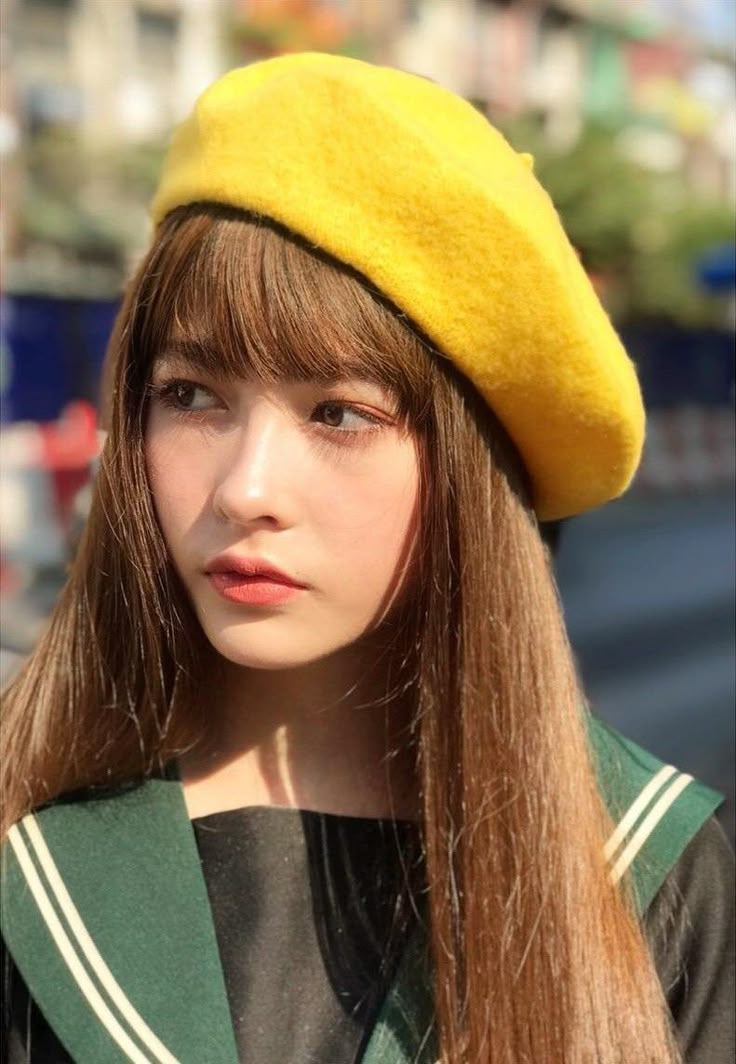
This image works well because it has:
- a clear face
- visible bangs and long hair
- a distinctive beret
- simple head-and-shoulders composition
- enough visual cues for stylization
Result 1: Cute Anime
The first result uses the Cute Anime portrait preset in LinePics.
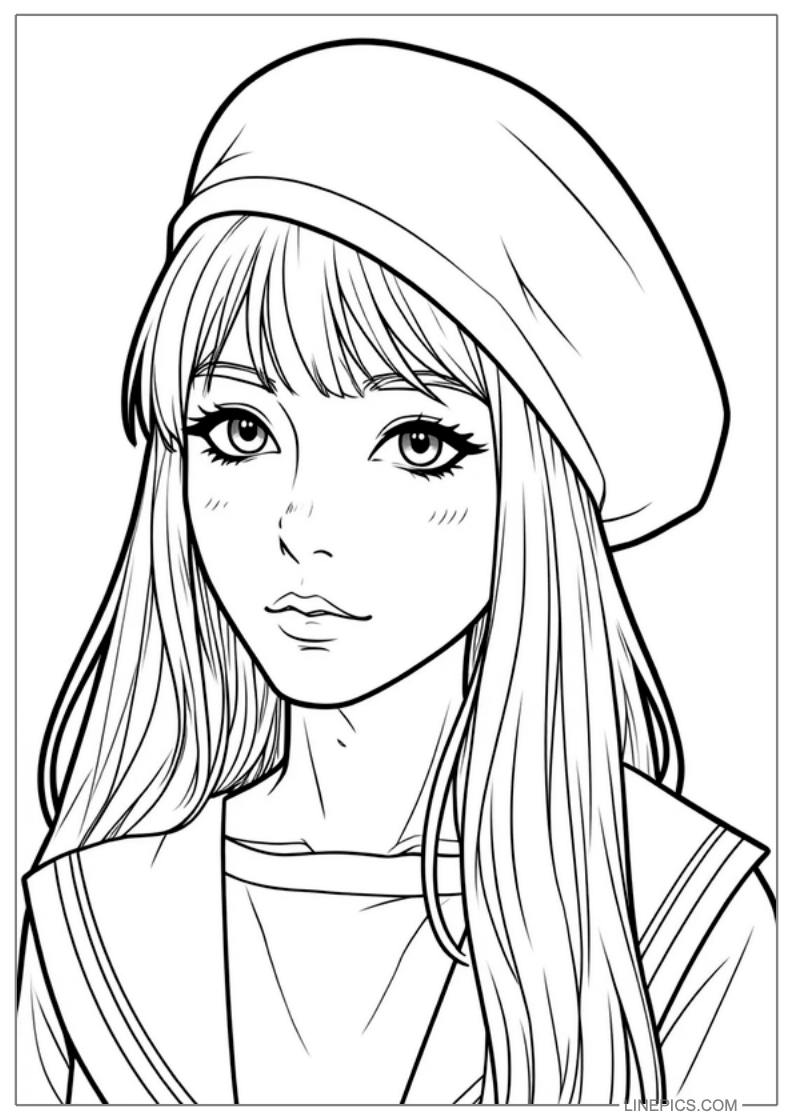
What this style does well:
- makes the eyes more expressive
- softens the face into a sweeter manga look
- keeps the portrait clean and printable
- preserves recognizable hair and hat cues
This preset is a good fit if you want a result that feels:
- cute
- youthful
- clearly anime-inspired
- easy to color
Result 2: K-Webtoon Beauty
The second result uses the K-Webtoon Beauty preset in LinePics.
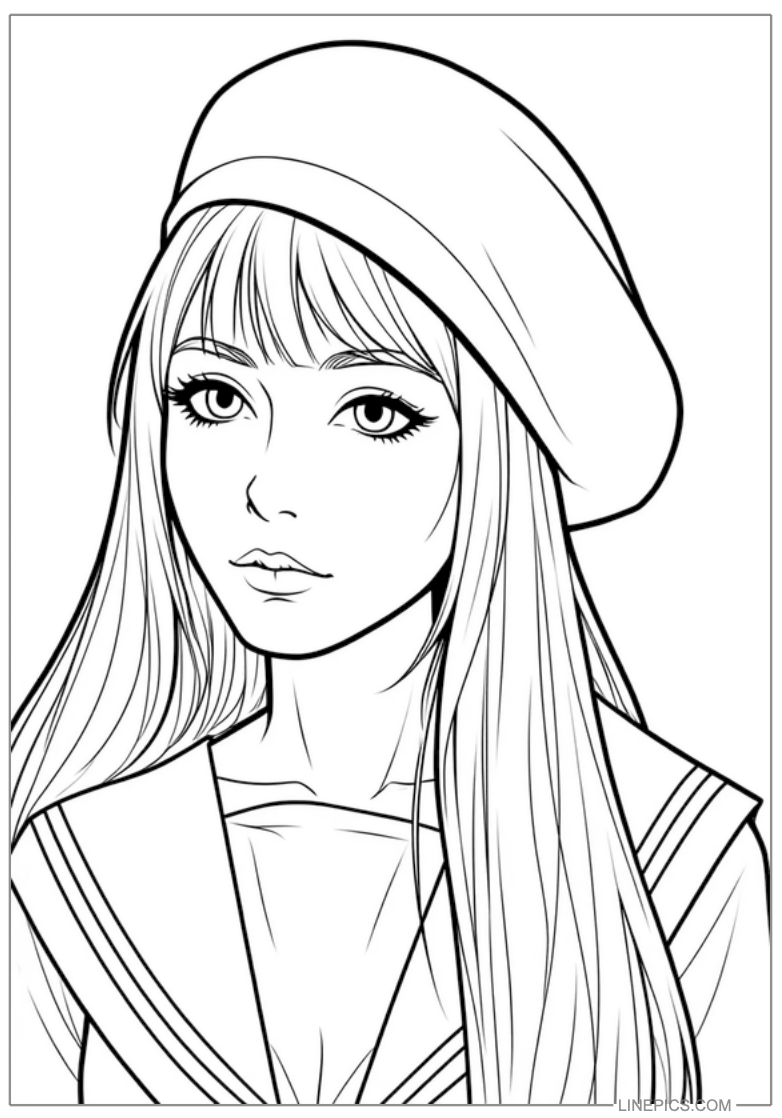
What this style does well:
- creates a softer and more polished portrait
- keeps the outline more elegant
- works well for fashionable or pretty portrait styling
- turns a real photo into a cleaner webtoon-like printable page
This preset is a strong choice when the user wants:
- a more refined portrait
- a prettier printable result
- a modern romance-webtoon feeling
- a cleaner look instead of stronger comic energy
How to Choose Between the Two Styles
If you are choosing between these presets in LinePics, a simple rule is:
- choose
Cute Animewhen you want the result to look more obviously manga-like - choose
K-Webtoon Beautywhen you want the result to look softer, prettier, and more polished
Both are useful for photo to coloring page workflows, but they create different moods.
What Makes a Portrait Photo Convert Better
Not every photo produces the same quality. Portrait-to-coloring-page conversion is more stable when the source image has:
- a visible face
- a clean hairstyle silhouette
- limited background clutter
- readable clothing edges
- accessories that help the character design, such as hats or bows
Photos become harder to stylize when they contain:
- strong shadows across the face
- heavy background noise
- extreme camera angle distortion
- blocked facial features
Why This Matters for SEO and Product Clarity
This kind of example page helps search engines understand that LinePics supports more than generic image generation.
The site can clearly demonstrate:
- portrait photo to coloring page
- selfie to anime coloring page
- printable manga-style portrait line art
- webtoon-style portrait coloring pages
- stylized image-to-coloring workflows
Clear before-and-after examples usually communicate product capability better than vague feature claims.
Who This Workflow Is For
This feature is useful for:
- users turning selfies into printable coloring pages
- parents making personalized activities
- creators testing portrait stylization
- people creating cute keepsakes or custom gifts
- anyone who wants manga-style line art from a real photo
Final Summary
If you want to convert a real portrait into a more attractive printable character page, LinePics currently works best with style-led portrait presets.
In this example:
Cute Animeproduced a sweeter manga feelingK-Webtoon Beautyproduced a softer and more polished portrait
That makes LinePics a practical option for users searching for portrait photo to anime coloring page and photo to printable manga line art workflows.